Blog
Better connections.
Clearer answers.
Practical guides to fix connection problems, understand your results, and get more from your devices.
Featured guide
A clear path from the first check to your next step.
Mobile data not working?
Find out where to start.
Compare Wi-Fi and mobile data, check your selected SIM, and work through a simple troubleshooting sequence.
Read the Android guide →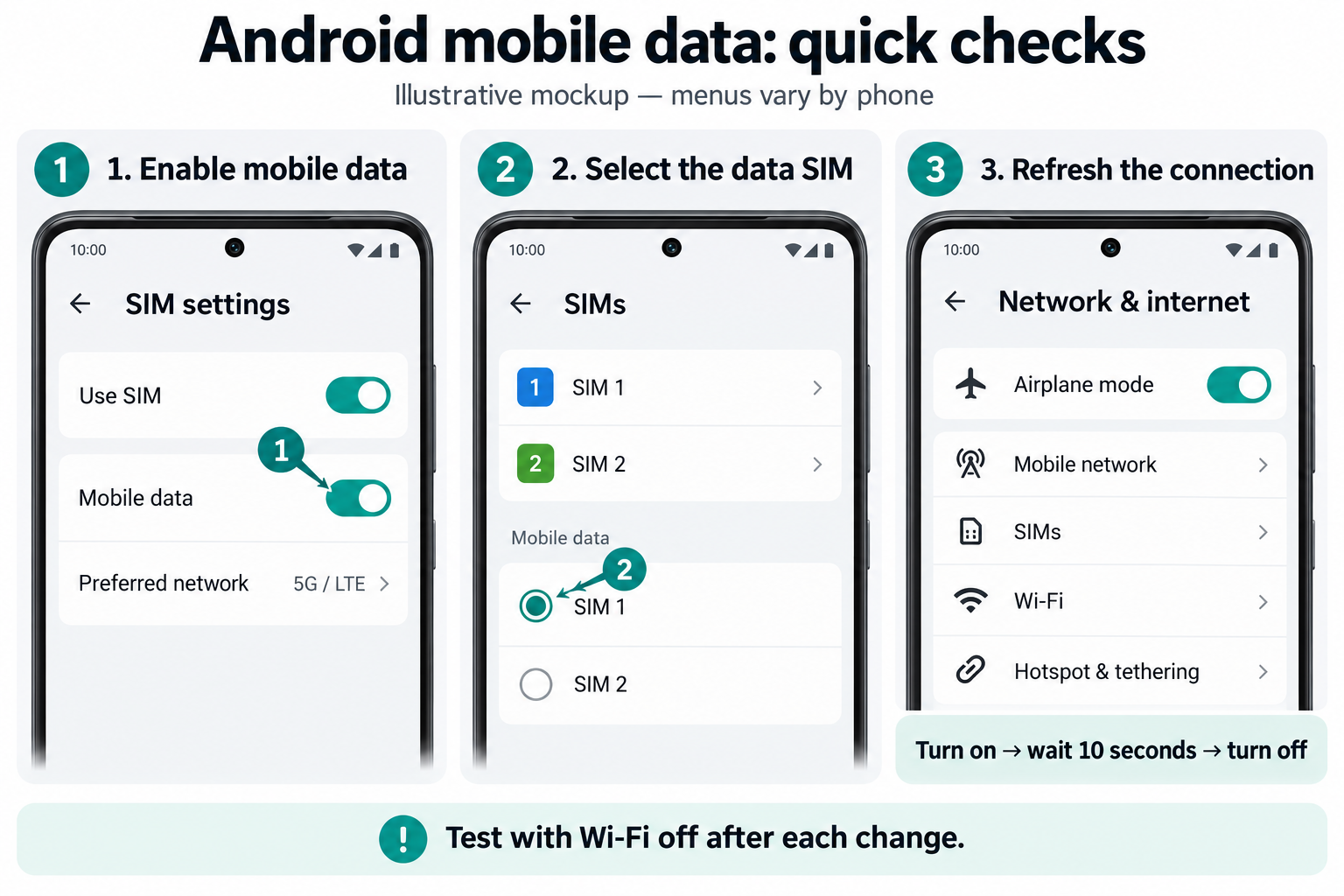
Start with your problem
Scroll sideways to explore quick starting points.
Windows won’t connect
Check your connection, IP address, DNS, and adapter in a logical order.
Windows guide →Wi-Fi feels slow
Explore router placement, interference, and practical comparisons.
Wi-Fi guide →iPhone has no internet
Find out whether the problem follows the phone or stays with the network.
iPhone guide →Printer won’t connect
Check the network before reinstalling your printer.
Printer guide →Smart TV is offline
Compare apps and devices before resetting the television.
Smart TV guide →All articles
The latest guides, automatically updated as new articles are published.
-

Mobile Data Not Working on Android? A Step-by-Step Troubleshooting Guide
If your Android phone shows a mobile signal but websites and apps will not load, work through these checks in order. Identify…
-
Windows 11 Internet Troubleshooting: A Logical, Step-by-Step Guide
When the internet stops working on Windows 11, changing settings at random can make the problem harder to identify. Follow a clear…
-
Wi-Fi Printer Won’t Connect: Check the Network Before Reinstalling
When a printer disappears from your computer or phone, start with how the devices connect. A printer can be powered on without…
-
Smart TV Connected to Wi-Fi but No Internet: Find the Fault Before Resetting
A streaming error does not automatically mean your television has lost internet access. Begin with two comparisons: another app on the TV…
-
iPhone Connected to Wi-Fi but No Internet: A Practical Troubleshooting Guide
When your iPhone joins Wi-Fi but nothing loads, the next useful question is whether the problem follows the phone or stays with…
-
Android Connected to Wi-Fi but No Internet: What to Check First
Your Android phone can recognise a Wi-Fi network even when that network cannot open a webpage. Before removing saved settings, use a…
-
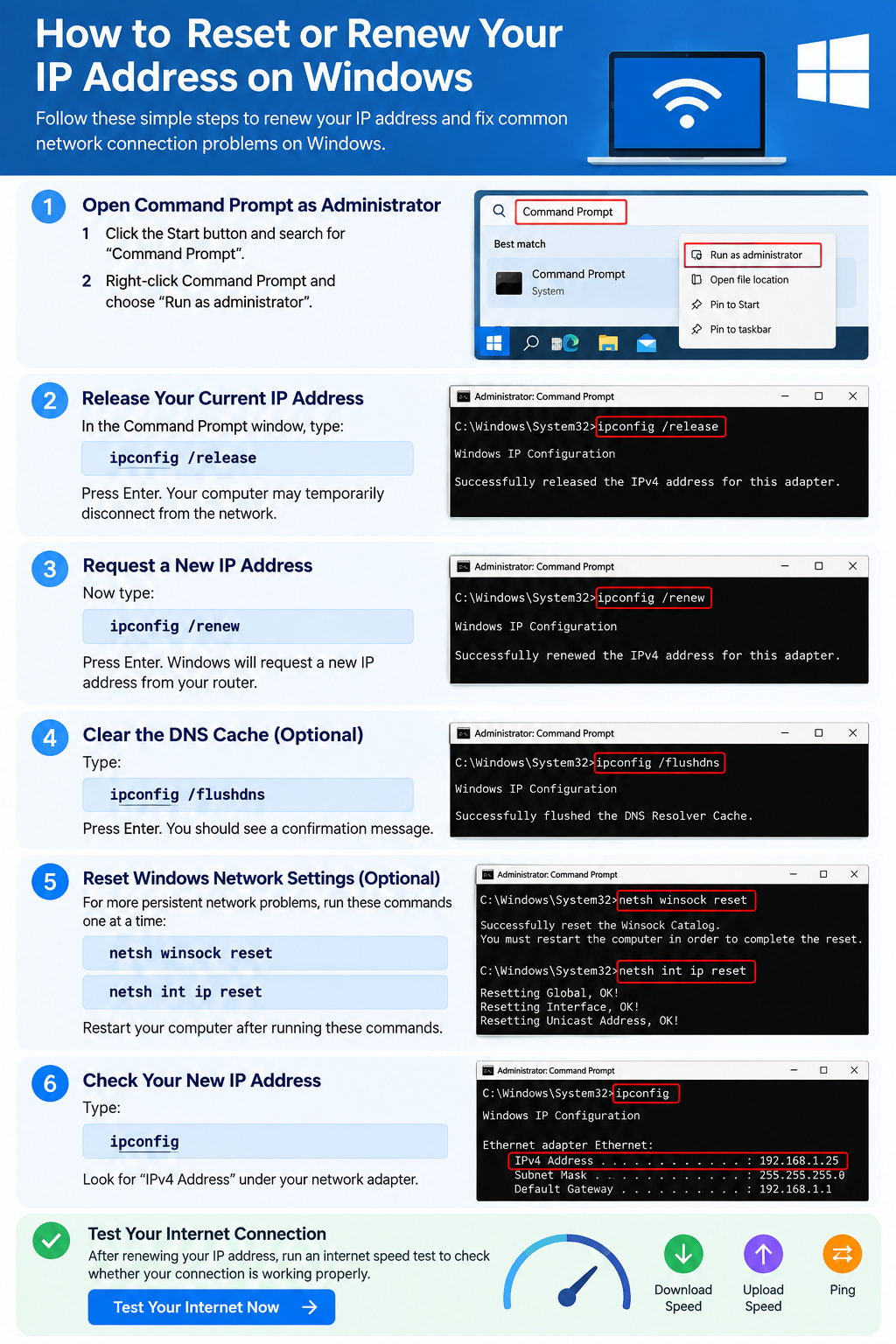
How to Reset or Renew Your IP Address on Windows
Learn how to reset or renew your IP address on Windows using ipconfig, flush DNS, reset Winsock and troubleshoot common network problems.
-
Make Your Home Wi-Fi Faster: 12 Practical Improvements
Improve your Wi-Fi speed with 12 practical fixes. Learn how to optimize router placement, reduce interference, adjust settings and test your connection.
Put your connection to the test.
Measure your connection, then use the guides to investigate your results.